Odoo Knowledge: One Shared Space for Everything Your Team Knows
Process docs, onboarding guides, and how-tos live in one place, easy to write, easy to find, and reusable anywhere else in Odoo.
How Odoo Knowledge Works
One simple loop, not a folder of stale documents nobody opens. Write it once, and it stays useful.
Odoo Knowledge: Write Anything, Structure Everything
Odoo Knowledge gives you a simple editor where typing "/" adds lists, tables, checklists, and more, no separate formatting menus to hunt through. Drop in a live view from another app, like a product list or a pivot table, and it stays up to date on its own instead of going stale the day after you paste it in.
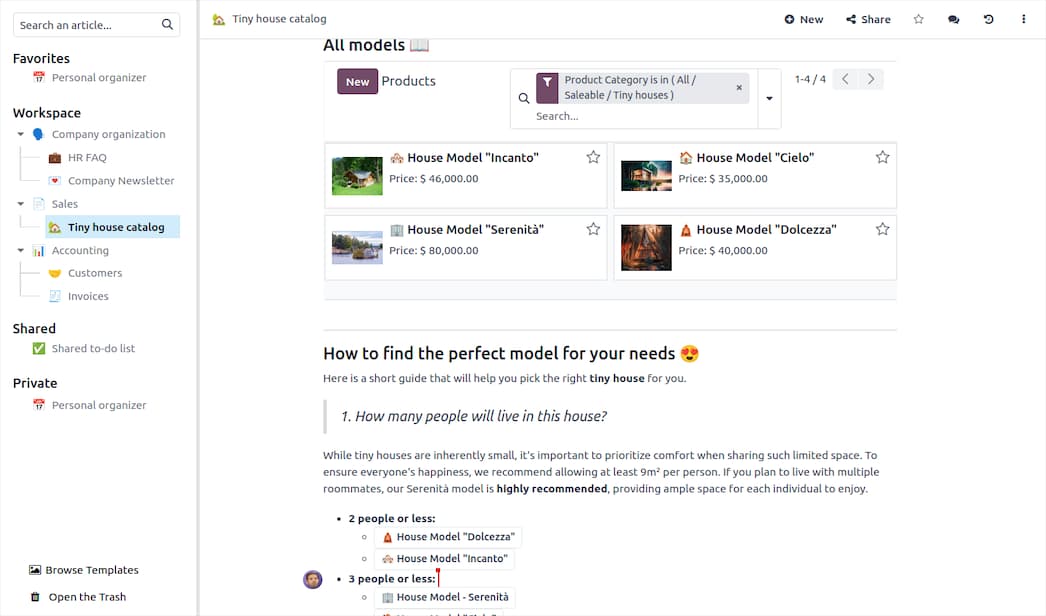
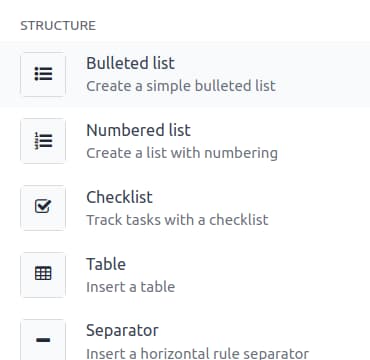 Slash Commands
Odoo Knowledge: Organize Information Your Way
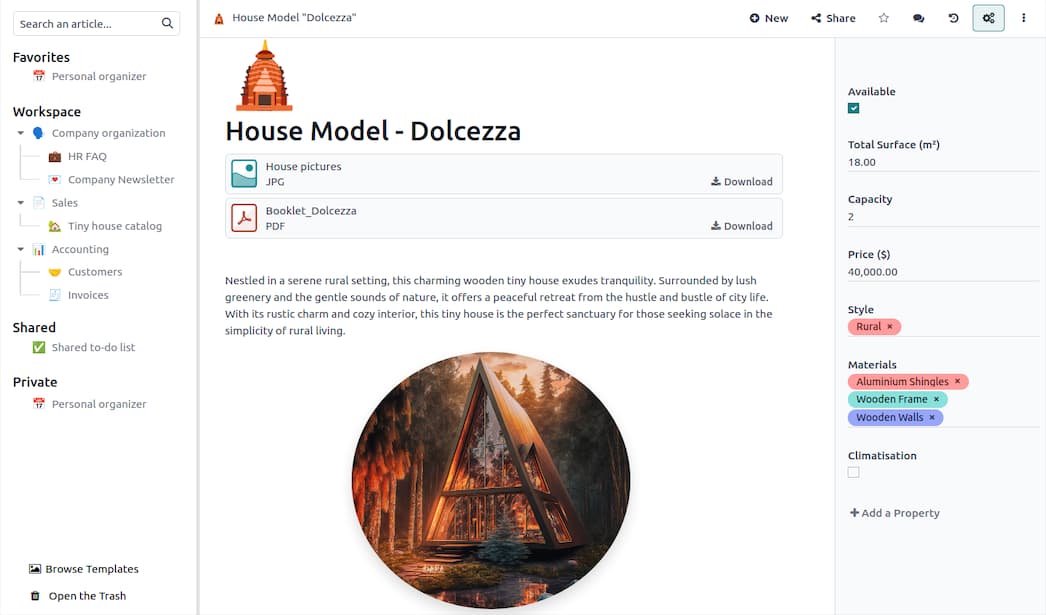
Add custom properties to any article in Odoo Knowledge, price, status, category, whatever fits the content, so a page of scattered notes becomes something you can actually filter, sort, and search instead of scrolling through to find what you need.
Odoo Knowledge: You Decide Who Sees What
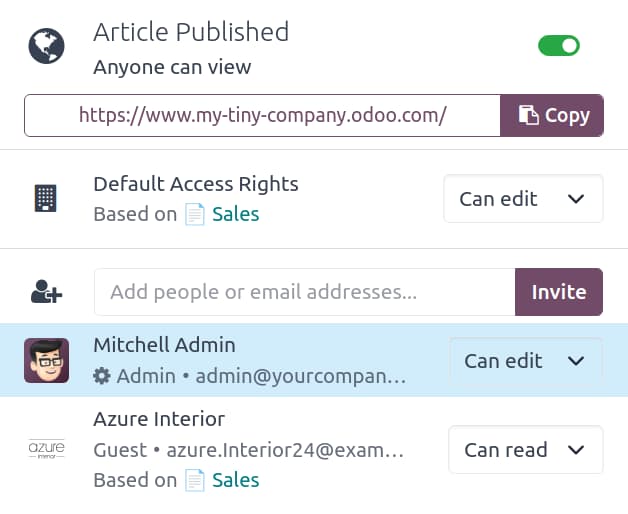
Keep an article private, share it with specific teammates, or publish it with a public link anyone can open. Default access in Odoo Knowledge can even follow your existing Sales or Project permissions, so you're not rebuilding a whole separate permission system from scratch.
More Odoo Knowledge Features
Real-Time Collaboration
Multiple people write and edit the same article at once, without overwriting each other's work.
Version History
Every article autosaves, and past versions are one click away if something needs to be undone.
Embed Live Business Data
Pull in a live table or pivot from another app, it updates on its own as the real data changes.
Export & Reuse Anywhere
Turn any article into a PDF, an email, or drop it straight into a quote or support ticket.
Odoo Knowledge Connects to Every App You Use
An article isn't stuck in Knowledge. Pull it into a Sales quote, a Helpdesk reply, a CRM email, or a Project task description, and it stays linked back to the original.
That's the real difference from a separate wiki tool: the answer lives right where your team is already working, not in a tab they have to remember to open.


Odoo Knowledge FAQs
Can multiple people edit the same page at once?
Yes. Odoo Knowledge supports real-time collaboration, so your team can write and edit together without overwriting each other's changes.
Can we control who sees what?
Yes. Every article can stay private, be shared with specific people, or be made public with a link, and access can follow existing Odoo permissions like Sales or Project roles.
Can we pull in live data from other apps?
Yes. You can embed a live view, like a pivot table or a list of records, directly into an article, and it stays current automatically.
Can an article be reused somewhere else?
Yes. Any article can be exported as a PDF, sent as an email, or pulled directly into a quote, terms and conditions, or a support ticket reply.
See Your Team's Knowledge, Organized
A Strategy Call shows you how to bring your scattered docs, wikis, and onboarding guides into one place.
callRequest Strategy Call